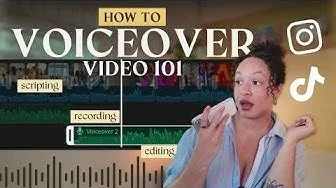
Voiceovers Made Easy: Script, Record & Edit with Confidence
You don’t need fancy gear or a studio setup to make voiceover content that connects. In part 4 of the Video 101 series, Voiceover 101, I’m breaking down everything you need to know to script, record, and edit your own voiceover videos with confidence — whether you’re creating tutorials, vlogs, or storytelling content.
If you’ve ever felt awkward recording your voice or didn’t know where to start, this is your crash course in making voiceovers that feel effortless and authentic.
TIMESTAMPS:
00:00 - Voiceovers are the most slept on video content type...
00:24 – PART 01: Gear Setup | What You Actually Need
00:49 – Best Apps for Recording & Editing Voiceovers
01:09 – Best Mics for Recording Voiceovers 01:28 – Mic Positioning & Handling Tips
02:15 – PART 02: Voiceover Scripting
02:28 – Option 1: Script Word-for-Word
03:05 – Using AI to Perfect Your Voiceover Script
04:21 – Option 2: Outline with Bullet Points
05:14 – PART 03: Recording Your Voiceover
05:24 – Option 1: Record Voiceover Before Adding Footage
05:59 – Option 2: Add Footage, Then Record Voiceover
07:02 – PART 04: Quick Tips for Better Voiceovers
07:14 – Tip 1: Tell a Story (Not a Play-by-Play)
08:52 – Tip 2: Record in Chunks
09:49 – Tip 3: Keep It Concise
10:11 – Tip 4: Craft a Strong Hook
10:53 – Tip 5: Pair with Strong B-Roll
11:51 – Tip 6: Experiment with Formats
12:14 – Final thoughts
12:22 – Watch this next